
Everything your team needs to answer customers
Troppus turns your support email into a shared workspace, with the tools to reply quickly and stay organized.
Collaborate
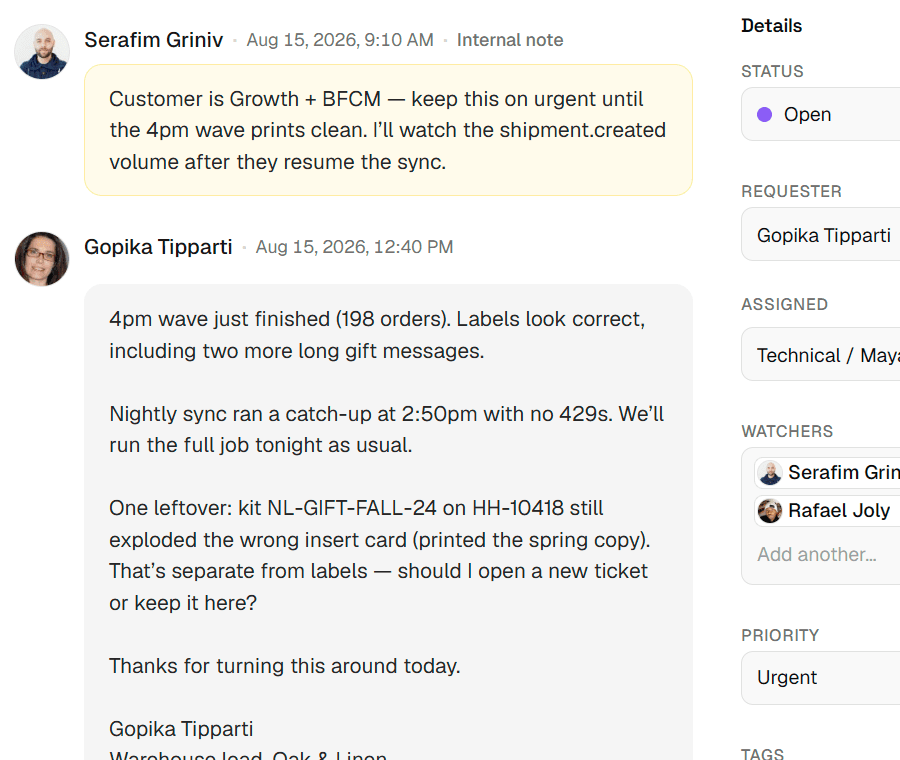
Work every conversation as a team
Everyone sees the same queue, so customers get one clear answer and nothing gets handled twice.
Team inboxes
Bring your support addresses into one workspace and route work to the right group.
Assignment
Give every thread a clear owner. Assignees get customer replies by email, too.
Internal notes
Talk through a thread with your team right beside the conversation. Customers never see notes.
Shareable threads
Copy a link to any thread and send it to a teammate in your workspace.
Multiple workspaces, one account
Support more than one company or brand and switch between them without signing out.
Watchers
Follow a thread without owning it, and get an email when customers or teammates add to it.
Reply
Answer faster and stay consistent
Reuse what already works, so every reply is quicker to write and sounds like your company.
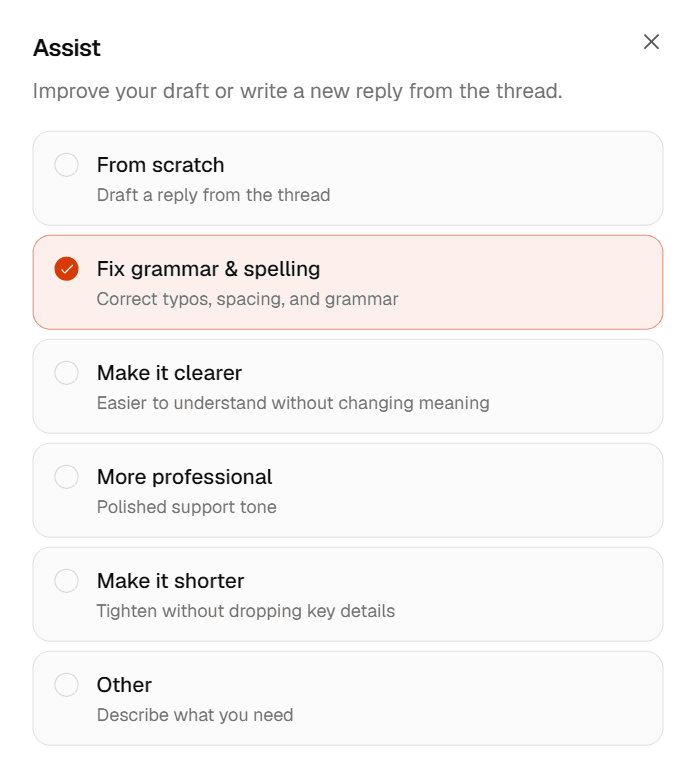
AI Assist
Draft a reply from the thread or polish your own. Bring your own OpenAI key.
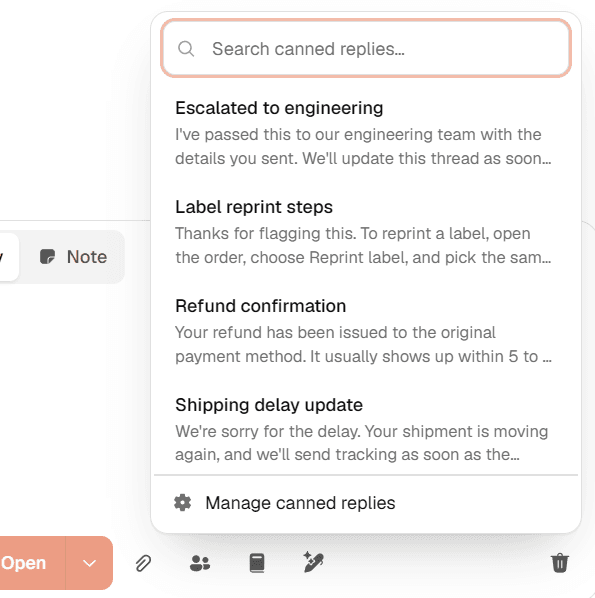
Canned replies
Save your common answers and drop them into any reply without leaving the editor.
Managed signatures
Set one signature for the workspace and add it to outgoing replies automatically.
Organize
Find what needs you next
Shape the queue around how your team works, from a quick filter to a view everyone shares.
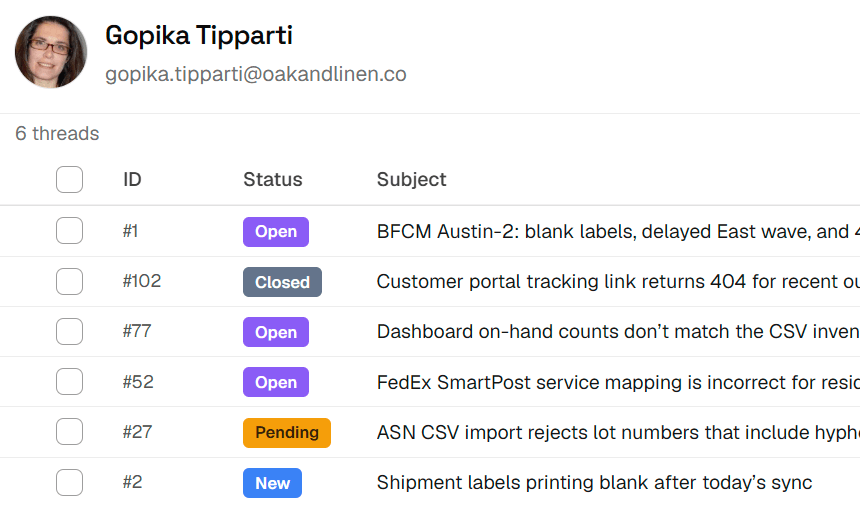
Contact management
See each customer's profile and history in one place, and block senders you don't want.
Views
Save the queues you check every day and share them with your team.
Filters
Narrow the list by status, priority, assignee, and more in a few clicks.
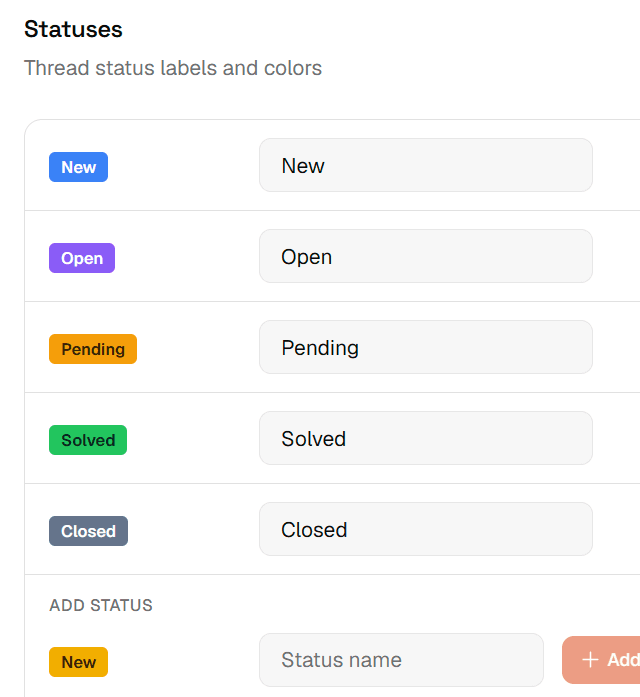
Custom statuses
Rename statuses, add your own, and pick colors that match your process.
Tags
Label threads however you like, then search by tag to find them later.
Ready to bring your team together?
Create a workspace, connect your email, and start working from one shared inbox.